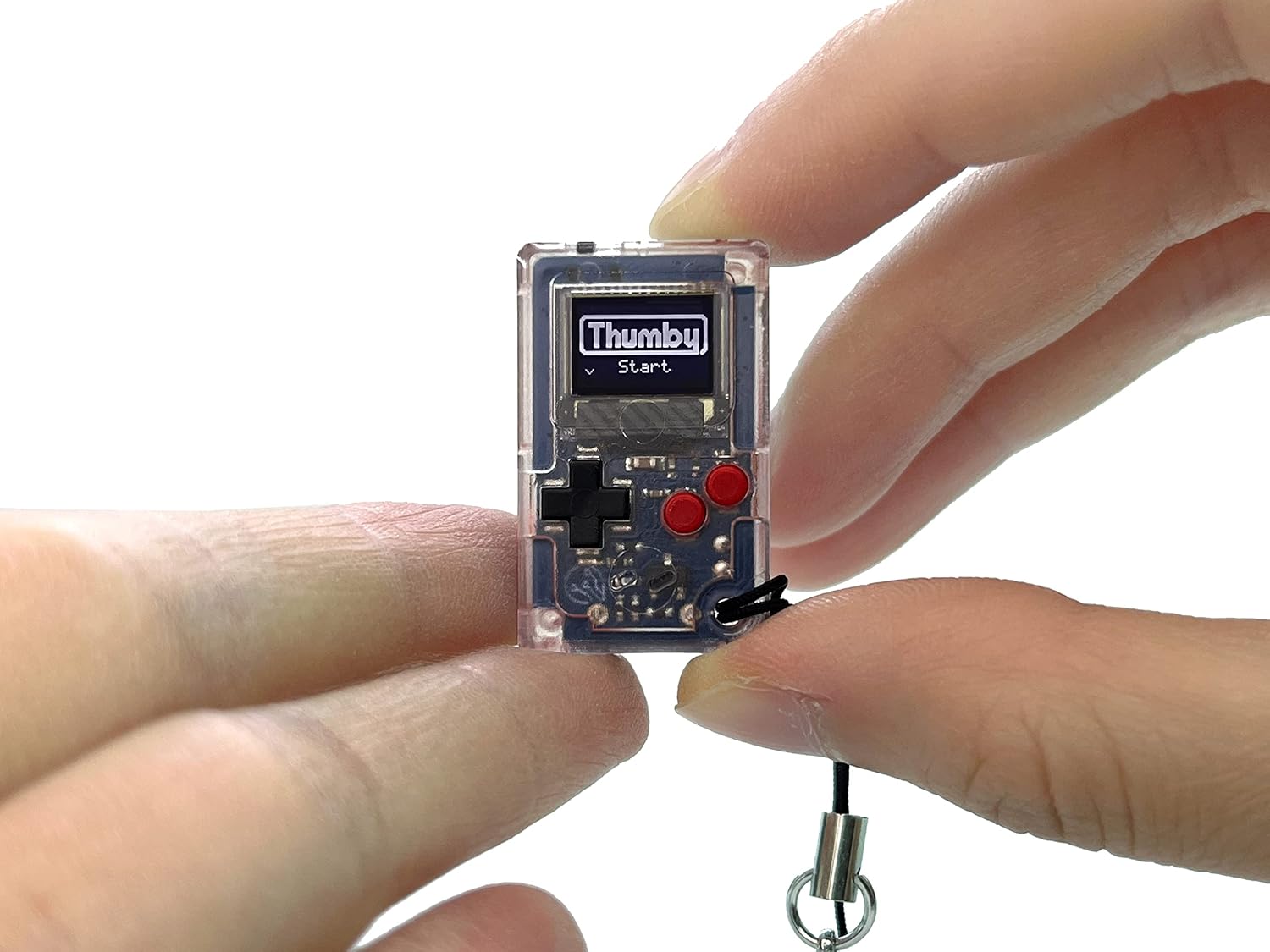
The TinyCircuits Thumby is a Gameboy-inspired device that’s ultra-tiny, comes with five pre-loaded classic games, and supports customization and coding — you can install free community games or code your own.
Imagine having an ultra-tiny handheld attached to your keychain, a necklace, your backpack or a belt loop, to play anytime, anywhere. Now, imagine if that handheld offers multiplayer by linking multiple handhelds together, a rechargeable battery for up to two hours of play per charge, and STEM learning and programming support. That’s exactly what the TinyCircuits Thumby offers. It’s a tiny Gameboy-esque device with all those features. Most interesting, to me anyway, is the coding support.
You can learn to code with Thumby through a free browser editor using the MicroPython language. No software installation required. Anyone can start at any age. Beginners, educators, experts, you name it. You can also add, upload and share games, animator drawings and animations via USB through a vibrant and active community. Moreover, you can use either the Thumby Code Editor or Arduino Code Editor, your choice. And, if you’re curious, the device is powered by a Raspberry Pi Pico RP2040 processor and has 2MB of storage space for extra content. It plays sounds as well, through the built-in piezo speaker.
How does Thumby actually work as a game console?
What is this, a game console for ants?! Probably. I don’t know if my fat fingers would allow me to play this thing, but that’s okay. Thumby comes pre-loaded with five retro-style games, including Pong, a Snake clone, a side-scroller, a multi-directional shooter, and an epic dungeon RPG.
Multiplayer is possible. You can link multiple Thumby consoles together with a Link cable, but it’s sold separately. It doesn’t come with the microUSB cable you need to connect it to your PC and charge the device either. That is a bummer, but once you see the price, maybe not.
It’s neat, and the gaming sounds cool. But the community support should be the real focus here. Plus, TinyCircuits helpful library of guides on Raspberry Pi, Arduino and a host of other electronic components and systems. If you want a quick glimpse at how downloading games on Thumby works, there’s a guide for that as well. You can even browse the free games available on the Thumby GitHub repository.
Pretty cool, no?


Who is it for?
Geeks, gamers, techies, tinkerers, young coders. Game and code all through one system. Well, technically you code in a browser, but still.
Where to buy?
MSRP: $30